


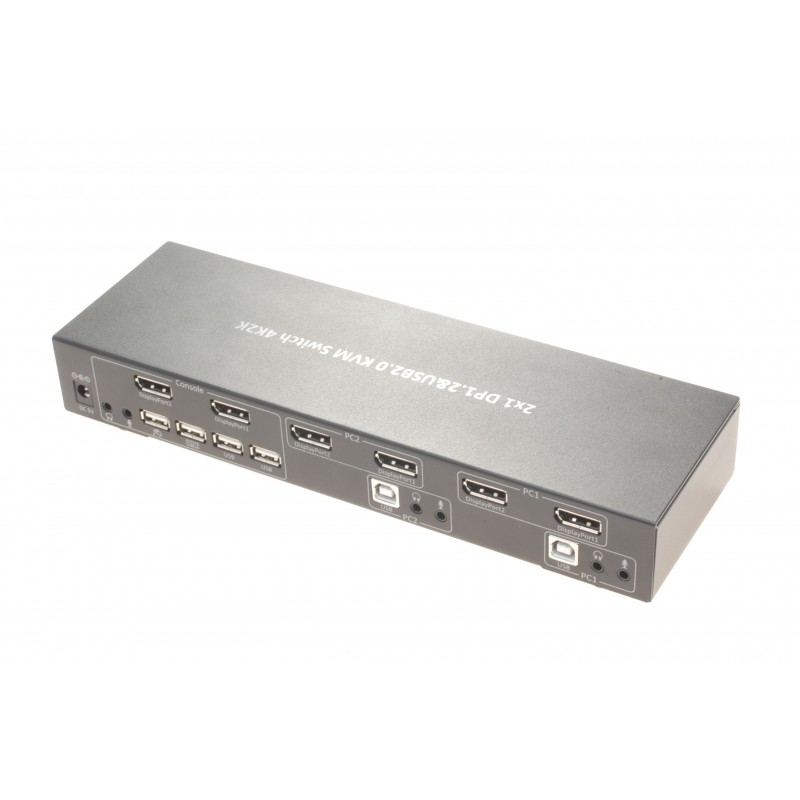
Switching between two computers from a set of keyboard, mouse and 2 screens.SW2KEYMON2DP-4K can switch between 2 computers and send the signal to 2 screens. The KVM has 4 USB ports, 1 for keyboard, 1 for mouse and 2 for other USB equipment. on the computer side, a single USB-B 2.0 cable and 2 DisplayPort cables are connected. Then connect 2 DisplayPort cables (1 to each monitor) and connect the desired USB device to the USB ports.
When switching between computers, you have 2 screens for each computer. Ie. that the 2 displays switch to the same computer so you can expand your desktop on 2 displays.
2-port Dual-Head KVM switch, DP, USB, Audio
2 x USB for mouse and keyboard
2 x USB to USB devices - transparent USB
Resolution 4K
Transmits audio < br> Power supplied 5VDC / 2A
Supports keyboard shortcuts for switching computer
Dimensions: 270 (L) x 85 (W) x 40 (H) mm